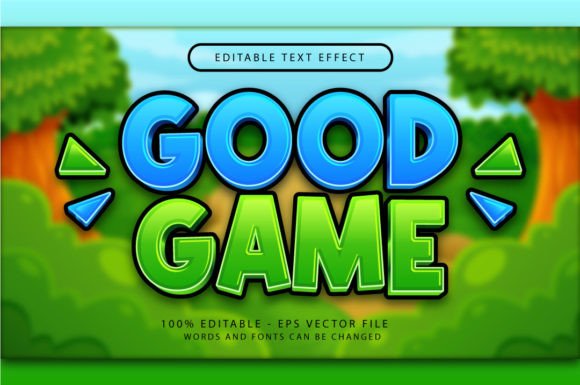
Good Game 3D Text Effect: Instant Depth for Your Designs
Ever stared at a flat headline on a poster or social media graphic and wished it had more punch? You know the feeling—the design is clean, the message is clear, but it lacks that immediate visual impact that stops someone mid-scroll. This is where a well-crafted 3D text effect can transform your work from good to unforgettable. The Good Game 3D Text Effect is a versatile Adobe Illustrator asset designed to do exactly that, offering a quick way to add depth, dimension, and a playful yet professional flair to your typography without spending hours on complex 3D modeling.
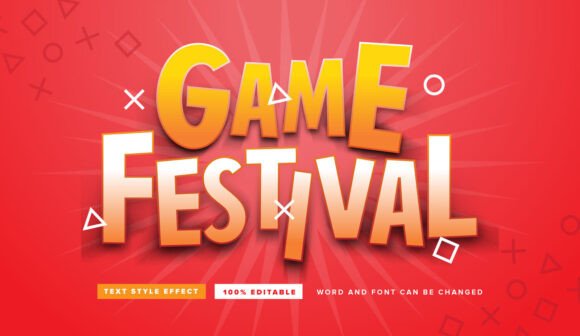
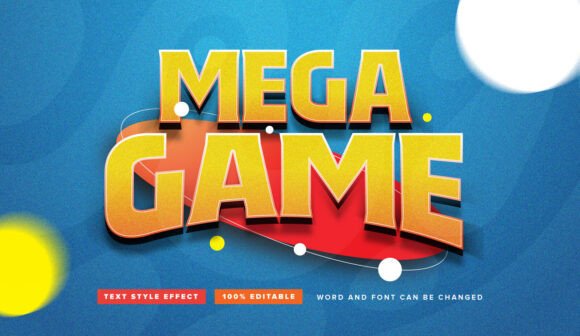
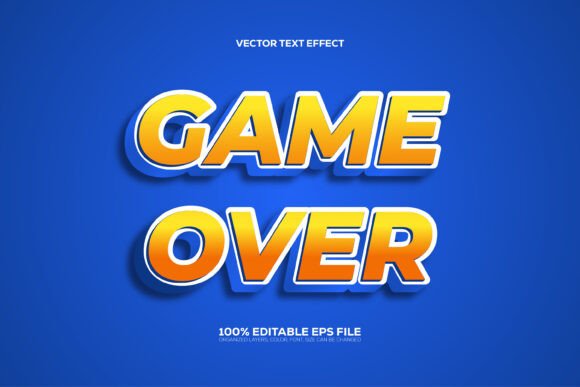
At its core, this is a vector-based graphic style for Adobe Illustrator. It’s not a static image or a cumbersome action; it’s an editable set of styles that you can apply to any text with a couple of clicks. The visual appeal lies in its balanced aesthetic—it’s bold enough to command attention but crafted with clean lines and subtle shadows that keep it from looking gaudy. The "good game" vibe suggests energy, fun, and victory, making it particularly suited for projects in gaming, entertainment, sports, and youth-oriented marketing, but its clean execution allows it to adapt to more serious contexts when used thoughtfully.
Practical Applications for Designers and Creators
The true value of a design asset like this is measured by how many problems it can solve across different projects. For a small business owner creating a sale banner, applying the Good Game effect to "50% OFF" instantly makes the promotion more dynamic. A content creator can use it to brand their YouTube thumbnails or podcast artwork, ensuring their visual identity is consistent and recognizable. The effect works wonders for:
- Logo and Branding Elements: While you wouldn't build an entire logo around a 3D effect, you can use it for temporary campaign logos, event branding, or sub-brands to convey a specific mood.
- Social Media Graphics: Headlines for Instagram posts, Facebook ads, or Twitter headers gain tremendous scroll-stopping power with a touch of 3D text.
- Packaging and Merchandise: Think of product names on packaging, labels for jars, or designs for t-shirts and posters. The effect adds a tactile quality that suggests premium value.
- Editorial and Web Design: Use it for pull quotes, section headers in a digital magazine, or hero text on a website landing page to guide the reader's eye and break up monotony.
- Event Invitations and Marketing: For a game night, a sports tournament, a product launch party, or a webinar, this effect sets the tone immediately—inviting, energetic, and professional.
Enhancing Your Visual Strategy
Beyond just making things look cool, integrating a consistent text effect like this into your toolkit can strengthen your overall visual strategy. When used purposefully, it contributes to:
- Brand Recognition: A unique text treatment becomes part of your visual language. When your audience sees that characteristic depth and style on a post or ad, they'll associate it with your brand's personality.
- Professional Presentation: It eliminates the amateur look that can come from flat, unstyled text on promotional materials. The result is a more polished and considered design, which builds trust with your audience.
- Audience Engagement: Dynamic visuals naturally attract more interaction. A 3D headline on a social media graphic is more likely to be noticed, liked, and shared than a plain one.
The key is to use it strategically. It’s a powerful accent, not the main course. For a branding project, you might decide that the 3D effect is reserved only for campaign headlines or special announcements, while your primary body copy uses a clean, readable sans-serif font. This creates a visual hierarchy that is both engaging and easy to follow.
Getting Started and Customizing
One of the biggest advantages of this particular asset is its simplicity. The provided files include a vector .EPS and a high-resolution .JPG preview, but no additional plugins, actions, or textures are needed. If you have Adobe Illustrator, you're ready to go.
- Apply the Style: Type out your text using the Type Tool. Then, simply open the Graphic Styles panel (Window > Graphic Styles) and click on the Good Game 3D style. That's it—your text is instantly transformed.
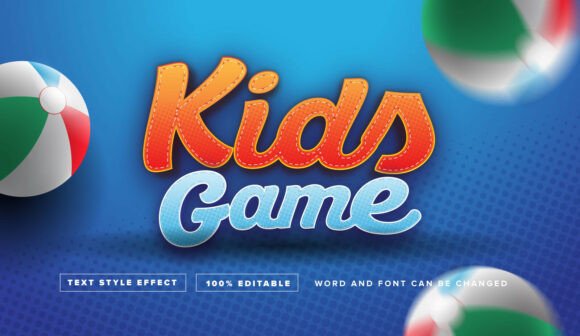
- Edit Freely: The entire effect remains fully editable. You can change the words, adjust the font size, switch to a completely different typeface (from a bold sans-serif to a playful script), and the 3D effect will adapt. You can also scale the text up or down without losing quality, as it's all vector-based.
- Fine-Tune Colors: While the default style comes with its own color scheme, you can easily change the fill and stroke colors of the text to match your brand palette. The 3D extrusion and shadow colors can typically be adjusted in the Appearance panel for full customization.
This flexibility means the Good Game effect isn't a one-trick pony. It can look radically different on a bold, blocky font versus a thin, elegant one. Experiment with pairing it with a simple, neutral font for body text to let the 3D headline truly shine.
Smart Considerations for Commercial Use
Before you dive in, a couple of practical points will ensure smooth sailing. First, always double-check the licensing terms included with your purchase. Most quality design assets are licensed for commercial use, but it's your responsibility to confirm that your specific project—whether it's a client logo, a print-on-demand product, or a digital ad—falls within the permitted uses.
Second, consider readability. While 3D text is fantastic for short, impactful headlines, it can become difficult to read if overused or applied to long sentences. Test your designs at the actual size they'll be viewed. A headline that looks great on your monitor might lose its clarity when scaled down for a mobile screen or printed on a small label. The best practice is to reserve such effects for six words or fewer.
Ultimately, the Good Game 3D Text Effect is a specialized tool in your design arsenal. It's not about replacing your primary brand fonts or overhauling your entire aesthetic. It's about having a reliable, easy-to-use solution for adding instant energy and depth when the project calls for it. Whether you're designing a poster for a local tournament, creating social media assets for a new product, or just want to make a birthday invitation more fun, this effect provides a professional shortcut to captivating typography. It’s a testament to how the right design asset, used with intention, can save time and elevate your creative output. Have fun experimenting with it!